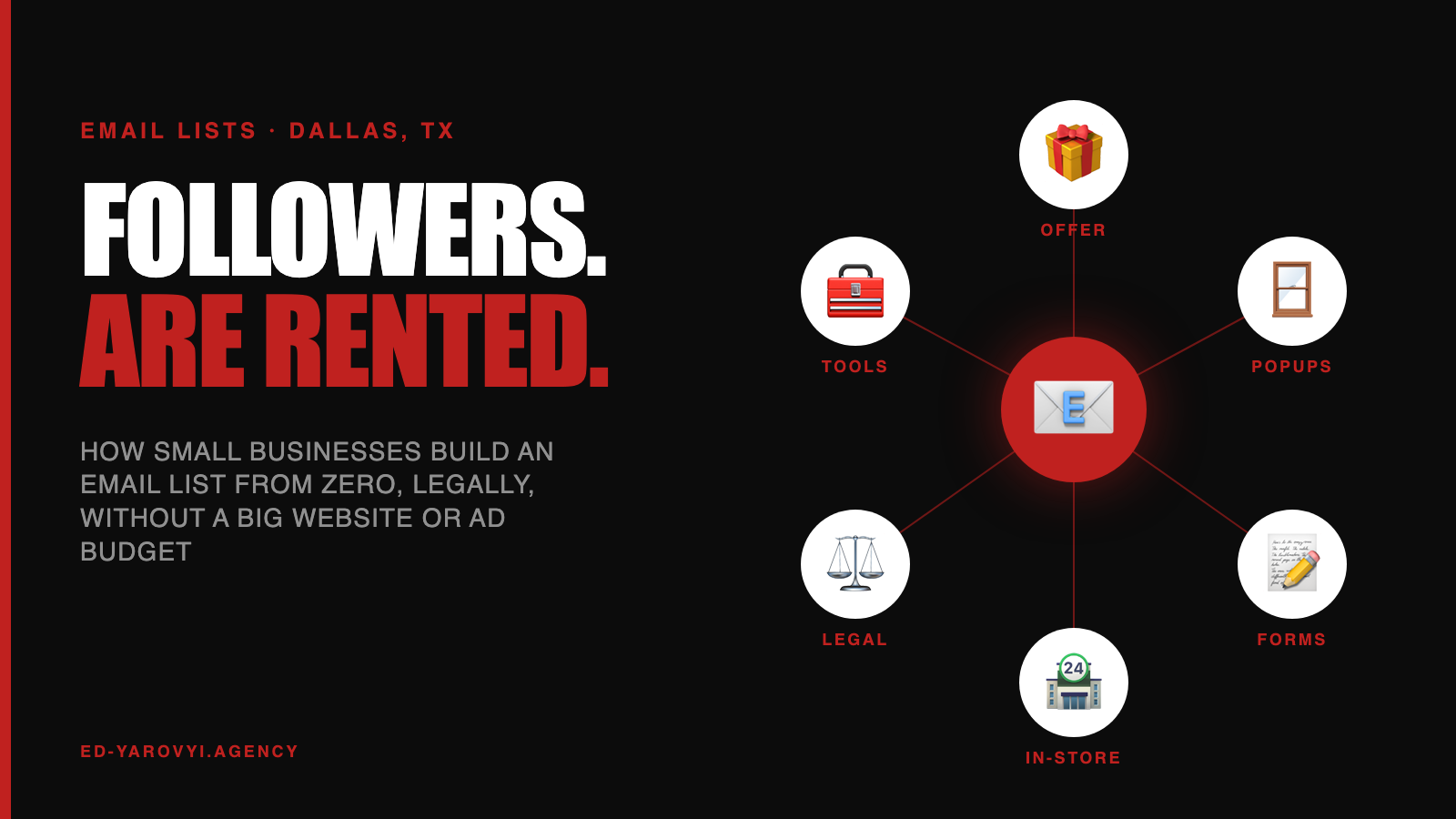
Instagram can change its algorithm tomorrow and cut your reach in half. Google can drop you to page three after an update. Your email list is the one audience nobody can take away from you. That’s probably why the most common email question in the autocomplete data isn’t about subject lines. It’s “how to build an email list.”
I pulled 69 email marketing questions from Google, Bing and DuckDuckGo. The list-building ones came in every flavor: for free, without a website, in Gmail, in Outlook, fast, with pop-ups, with webinars. Here are the ten that matter for a small business, from someone whose client campaigns have sent more than 150,000 emails.
- How do you build an email list from scratch?
- How do you build an email list for free?
- Can you build an email list without a website?
- Can you build an email list in Gmail or Outlook?
- How do you build an email list fast?
- Do website pop-ups actually grow an email list?
- What should you offer people to join your list?
- Is it legal to add customers to your email list?
- What’s the best email marketing tool for a small business?
- How big does an email list need to be before it pays off?
How do you build an email list from scratch?
Short answer: Start with the customers you already have, with their permission. Then add a signup form to your website, a reason to join (a discount, a guide, early access, a checklist), a way to collect emails at checkout or in person, and a welcome email that arrives right away. Small and engaged beats big and cold.
When I start email work with friends, the first list nearly always comes from what they already have: invoices, bookings, the contacts in their phone. Customers who bought from you are the warmest list you’ll ever own.
Ask them plainly: “Can I send you seasonal tips and early offers?” Most say yes if you did good work. Then make the website and checkout do the asking every day.
How do you build an email list for free?
Short answer: Use the free tier of an email platform (several offer free plans for small lists), add a signup form to your website and social profiles, collect emails at checkout and in person, and offer something useful in exchange. The tools can be free. The real cost is creating a reason to join.
Free plans usually cap contacts or monthly sends and add the platform’s branding, which is fine while you start.
What never works, free or paid, is “Join our newsletter.” Nobody wants a newsletter. They want something specific: a price guide, a seasonal checklist, first dibs on appointments, or money off the next visit.
Can you build an email list without a website?
Short answer: Yes. Most email platforms give you a hosted signup page you can link from Instagram, Facebook, your Google Business Profile, QR codes and text messages. You can also collect emails at events, at the counter, on invoices and through your booking or point-of-sale system.
A QR code by the register that says “Get 10% off your next visit” turns foot traffic into subscribers. For a service business, one line on every invoice (“Want seasonal maintenance reminders? Reply YES”) works quietly for years.
Wherever customers already interact with you, ask there.
Can you build an email list in Gmail or Outlook?
Short answer: For a handful of contacts, yes, but not as a real marketing list. Personal inboxes have daily sending limits, no proper unsubscribe handling, and bulk messages from them often land in spam. Gmail and Yahoo now require bulk senders to authenticate their domain and offer one-click unsubscribe.
Keep collecting contacts in a spreadsheet or Google Contacts if you like. When you’re ready to send, import them (with permission) into an email platform.
The platform handles unsubscribes, sending reputation and the legal footer, which protects both your inbox and your domain from looking like spam.
How do you build an email list fast?
Short answer: Put a good offer where the most people already see you. Ask existing customers, add a signup to checkout and booking confirmations, run a giveaway or event that requires an email, partner with a complementary local business, and use a well-timed pop-up on your site. Speed comes from reach plus a real reason to join.
Webinars and giveaways show up in the search data for a reason: they work, with a catch. Giveaways attract people who want the prize, not your business.
Tie the prize to what you sell, like a free detail for a car wash or a free class for a gym, so the list fills with actual prospects instead of contest hunters.
Do website pop-ups actually grow an email list?
Short answer: Yes, when they’re respectful. A pop-up with a specific offer that appears after someone has scrolled, or as they’re leaving, and closes easily usually beats a tiny form in the footer. A full-screen pop-up that blocks a phone screen on arrival annoys people and can hurt you with Google.
Google has warned for years about intrusive pop-ups on mobile. So time yours: after a visitor scrolls a third of the way down, or when they move to leave on desktop.
Put the offer in one line, ask only for an email, and test two offers for a month each.
Social reach can be cut overnight by an algorithm change. Search rankings move with every update. A list of customers who said yes to your emails is the one audience you actually own. Treat every signup like a small asset on your balance sheet.
What should you offer people to join your list?
Short answer: Something specific and useful to your ideal customer: a discount on the next purchase, a price guide, a seasonal checklist, early access to appointments or new products, or a short email course. The best offers are cheap to deliver and only interesting to people who might actually buy from you.
A DFW roofing company could offer “The five-minute roof check after a hailstorm.” A daycare could offer a tour checklist for parents. A bakery: a free cookie on your birthday.
Each one attracts the right people and quietly filters out the wrong ones. “Subscribe for updates” attracts nobody.
Is it legal to add customers to your email list?
Short answer: In the U.S., the CAN-SPAM Act doesn’t require opt-in for commercial email, but it does require honest sender details and subject lines, a physical mailing address, and a working unsubscribe you honor promptly. Asking permission is still the smart move, and countries like Canada have stricter consent rules.
Legal and smart aren’t the same thing. Emailing people who never asked hurts your sending reputation, which pushes even your good emails into spam folders.
Never buy lists. Ask at checkout or after the job, note where each contact came from, and make leaving easy.
What’s the best email marketing tool for a small business?
Short answer: It depends on what you sell. Mailchimp and MailerLite are easy general choices, Klaviyo is strong for online stores, Kit (formerly ConvertKit) suits creators and course sellers, and many CRMs and booking systems include email. Pick the one that connects to where your customer data already lives.
When friends ask which platform to choose, my first question is where their customer data lives. If bookings sit in one system and email in another with no connection, you end up copying lists by hand and sending the wrong offer to the wrong people.
Connection beats features. I compare setups for local businesses in email marketing for small business.
How big does an email list need to be before it pays off?
Short answer: Smaller than most owners think. A few hundred engaged local customers can pay off right away for a service business, restaurant or shop, because they already know you. Engagement matters more than size: 300 people who open and buy beat 10,000 who never asked to hear from you.
One email to 300 past customers announcing open appointment slots can fill a slow week. That’s real money from a list most owners would call too small to bother with.
Start sending monthly as soon as you have a list, and grow it as you go. Waiting for “big enough” is how lists never get used.
Start this week with the list you already have: past customers who’d be glad to hear from you. Ask permission, pick one platform and send one genuinely useful email. Then make every touchpoint ask for the next signup.
For email inside a bigger system, the Animal-ID USA case pairs a landing page with email marketing, and is email marketing worth it answers the money question.
How often should I email my list?
Start with once or twice a month and stay consistent. Increase frequency only if opens and clicks hold up. A predictable, useful email beats frequent filler that trains people to ignore you.
Should I buy an email list?
No. Bought lists are full of people who never agreed to hear from you, which drives spam complaints, damages your sender reputation and can get your account suspended by your email platform.
What is double opt-in?
Double opt-in asks new subscribers to confirm by clicking a link in a first email. It keeps fake and mistyped addresses off your list and helps deliverability, at the cost of losing some signups who never confirm.
Can I add business cards I collected to my list?
CAN-SPAM doesn’t require prior consent in the U.S., but the better move is a personal note first asking if they’d like your emails. It protects your reputation and keeps the list full of people who actually want to hear from you.
What should my first email say?
Welcome the subscriber, deliver what you promised right away, say what to expect and how often, and give one simple next step, like booking, replying with a question or following you on one platform.