Website development in Dallas, 9 PM on a Wednesday. A Dallas friend-client I hadn’t heard from in a year calls and says: “I built it myself on V0 over a weekend. Looks great. But no one’s booking.” Two months in, he’s burned $1,400 on Google Ads and gotten three leads — two of them bots. That call is the reason this article exists.
Not because he’s lazy. Not because he’s dumb. He is, in fact, a very good sign shop operator — the exact kind of sharp, hands-on small-business owner Dallas is full of. The problem is simpler: a website in 2026 is not “clicking through a builder.” It is a 3-to-6-layer product, each layer has to work under paid traffic, and when any one of them leaks money, the other five don’t save you.
This is an honest breakdown of what website development in Dallas actually takes for a small business in 2026. Where the hours go when you DIY. What layers have to ship together. Where AI is a superpower for the specialist — and a trap for the client. And what a real build costs, in money and in your own calendar.
What’s in this article
- The 100-hour DIY trap
- A real build — Rival Sign Company
- The six layers, one by one
- Where AI fits — and where it breaks
- Real hours — the honest math
- The verdict in three lines
- FAQ — Website Development Dallas
Why DIY Website Development in Dallas Ends at 100 Hours
The DIY story almost always plays out the same way. The first evening feels productive — you pick a platform, pull a template, change the colors. However, by week three you’re debugging email deliverability, fighting a responsive grid, and watching a contact form drop submissions. Below is the honest time log I’ve seen on the last half-dozen small-business owners who tried the builder route before calling me. Every line is a real bucket of evenings, not a theory.
Suburb pricing runs slightly differently — website development Plano has the local build ranges and what each tier actually includes.
And these are not abstract hours. They are your evenings after your real work. Your weekends not spent with family. If your time in your own business is worth $50 an hour (a realistic lower bound for a solo Dallas owner), 100 hours is $5,000 of lost revenue. For roughly the same money, a specialist buys you a finished product, not 100 hours of unwilling web-development education. That is the single trade small-business owners underestimate most.
A Real Build — Rival Sign Company
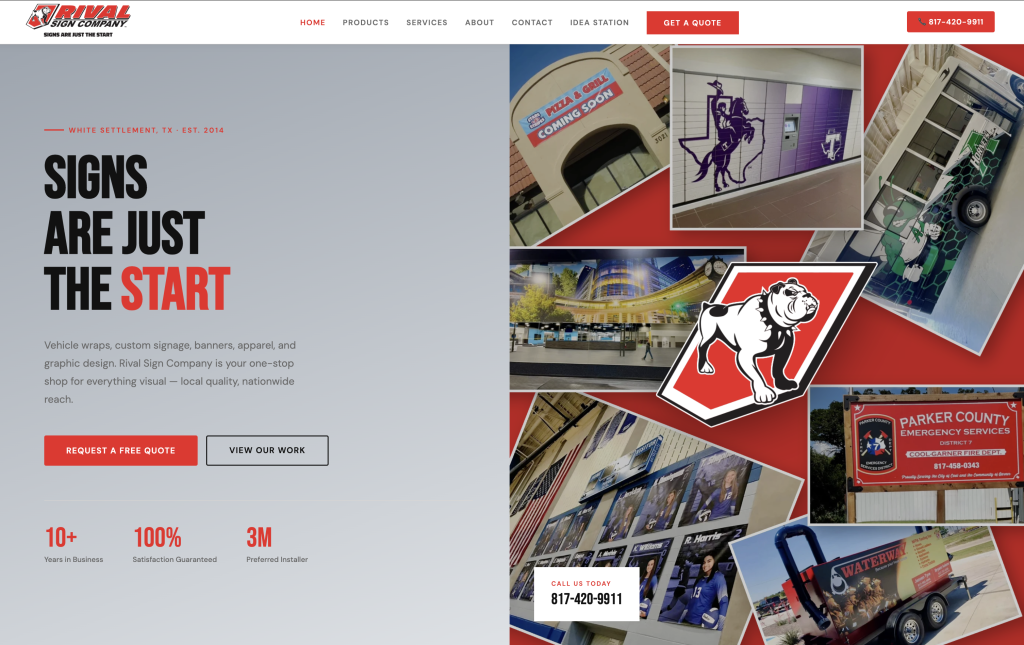
Before the layers, here is what a specialist build actually looks like in DFW. Rival Sign Company is a veteran-owned sign shop serving Dallas and Fort Worth. Custom code instead of a builder. Schema.org on every entity. Clean URLs, mobile-first, integrated form and CRM. In short, the same 6 layers covered below — built together, not bolted on afterwards. The owner’s participation was closer to 15 hours than 100.
The Six Layers of Website Development in Dallas
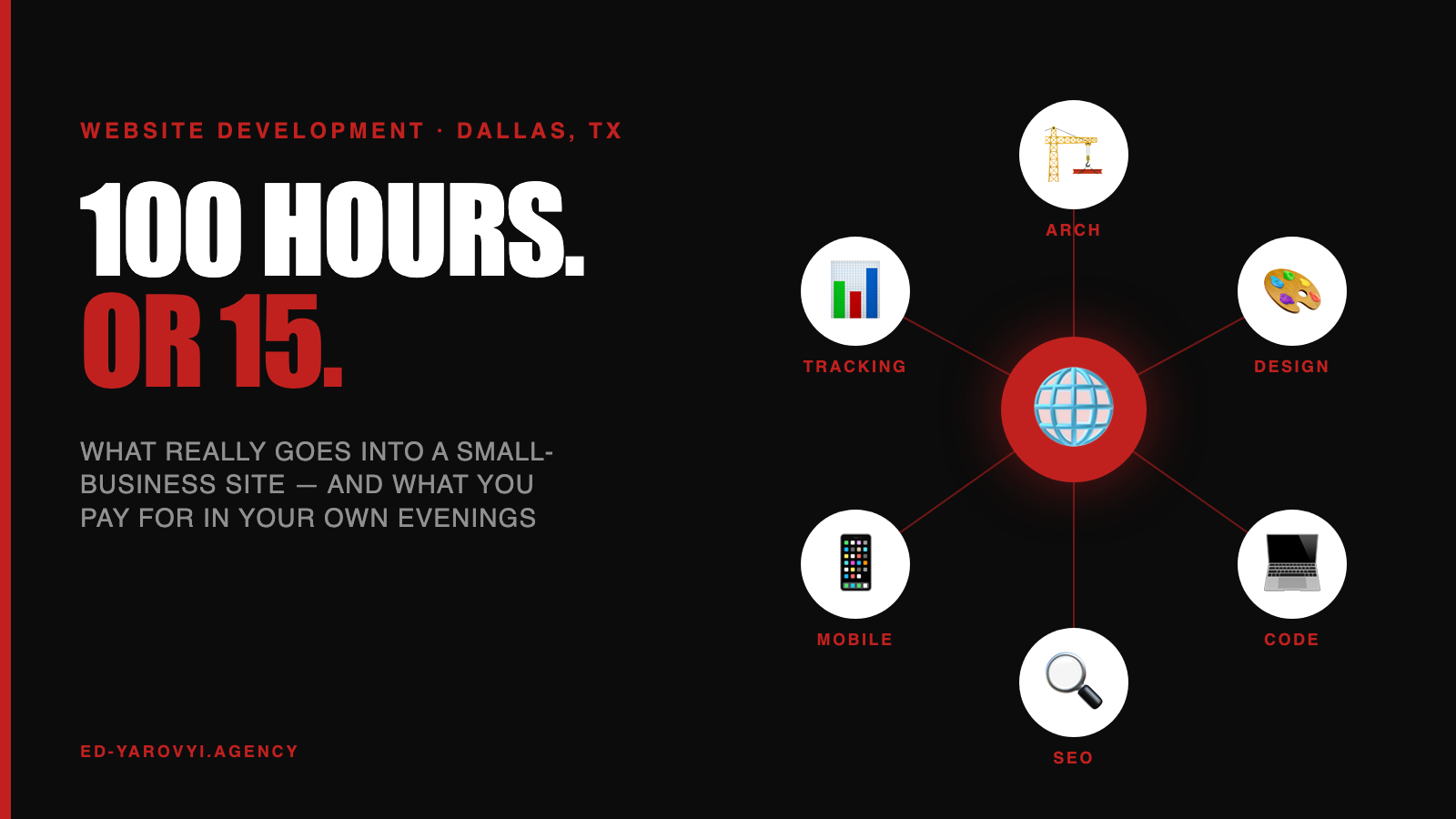
Serious website development in Dallas is six layers built together. In short, every one has to ship on day one — not “later, when we have the budget.” The layers that usually get cut first (SEO, tracking, CRM) are exactly the ones that decide whether paid traffic converts.
Layer 1 — Architecture
The information map before the design. Which pages exist. What user flow leads from Google or ad click to a filled form. Where the blog, the case pages, and the services pages sit in the URL hierarchy. Architecture decides whether the site is a brochure or an operation. Specialist: 4-6 hours. You, DIY: 10-15 hours of sitemap tutorials, plus another 8 when month-two analytics show the flow doesn’t work and you redo it.
Layer 2 — Design
Mobile-first by default. In DFW, 65-75% of service-business traffic is mobile, higher for nail salons, dental, legal. On La Bare Dallas, the mobile booking flow carried nearly all revenue — desktop was scenery. Practically: buttons 44×44px minimum, input types that pull the right mobile keyboard (type="tel", type="email"), no hover-only interactions, body 16px+, no horizontal scroll. Design also means the logo lands right and the colors don’t fight — the part builders almost always get subtly wrong. Specialist: 8-12 hours. You, DIY: 15-25 hours wrestling responsive builders and watching the logo sit wrong on every device.
Layer 3 — Code
Custom where needed, CMS where it makes sense. For most small businesses, that means WordPress or Webflow — not a handwritten React app, not a locked-in SaaS builder. Clean HTML, lazy-loaded images (WebP), Core Web Vitals in the green (LCP, CLS, INP), no 3 MB hero on the home page. Code is where create website Dallas owners get to edit their own content without hiring a developer for every tweak. Specialist: 20-40 hours. You, DIY: 30-50 hours learning what LCP is by Monday and still shipping a 3 MB hero on Friday.
Layer 4 — SEO foundation
Built in, not bolted on. Minimum: unique H1 per page with focus keyword, H2-H3 hierarchy, 2-3 internal links per page, alt text on every image, schema.org markup (LocalBusiness on home, Service on services, FAQPage on the FAQ), unique meta title and description, HTTPS, mobile-friendly. Off-page SEO — backlinks, PR — is a separate discipline. Specialist: 6-10 hours baked into the build. You, DIY: 15-25 hours fighting Yoast’s yellow dots without ever knowing which ones matter.
Layer 5 — Tracking
Without tracking you’re blind. GA4, Google Tag Manager, conversion events (form_submit, phone_click, booking_start), Meta Pixel if Facebook/Instagram ads run, TikTok Pixel if TikTok runs, Hotjar or Microsoft Clarity for session recordings. Server-side tagging for ad-blocker survival. Without any of this, $500/month on Google Ads is guesswork — and every serious content marketing Dallas funnel leans on tracking to separate attention from revenue. Specialist: 4-8 hours. You, DIY: 15-25 hours of guides that assume knowledge you don’t have — you stop at “real-time users: 0.”
Layer 6 — CRM and automation
Form submit → CRM record → email to owner + auto-reply, tagged by source, wired into the right sequence. For bookings-heavy service businesses: native integration with Booksy, Square, Fresha, Mindbody, or Jobber — not a Zapier toy but webhooks with retries and error handling. On Animal-ID USA, the form-to-email pipeline handled tens of thousands of enrollments without a dropped submission, because the plumbing was built-in from day one. This is also where the architecture in one photo, seven systems plugs in. Specialist: 8-12 hours. You, DIY: 10-20 hours discovering that Zapier’s 100-task limit dies on the second customer.
Where AI Fits — and Where It Breaks
AI is leverage for the specialist. Claude and ChatGPT draft clean code. Cursor speeds up development 3-5x. Midjourney and SORA produce mockups. I use all of this every day. In practice, a 100-hour project compresses to 60-70 specialist hours, and the client gets the benefit as a lower price or a better product at the same price.
But AI as a substitute for a specialist is a trap. A client who “built the site on V0 in an evening” ends up, three months in, either without leads and unsure why, or with a broken site they can’t fix. Below is where builders consistently fall short in 2026 — each gap is something I’ve had to fix on projects before calling it a “rebuild.”
Short formula. AI = template generation. Specialist = architecture + integration + QA + accountability. For an early-stage small business, the gap between those two is the gap between a product that works on day one and a product that has to be rebuilt before the first customer walks through the door. For the deeper philosophy of AI-as-leverage-not-substitute, see the seven-systems article.
Real Hours — The Math Most Agencies Hide
One axis, two paths. Here is what the same project costs you in hours depending on which one you pick.
The specialist path 10-20 hours break down the same way every time: brief (2-3 hrs), design review (2-3 hrs), staging review (1-2 hrs), content prep — copy, photos, real numbers (3-5 hrs), acceptance and CMS walkthrough (2-3 hrs). Real involvement, not a second job.
For brand-new concepts, one-page validation eats only 5-10 of your hours and tells you whether demand exists before you invest in multi-page. The same scaling logic plays out long-term — see Wall Slots Journal, which grew from one post a week to 700 articles a month without a single full rebuild, because the layers were built to scale from day one instead of retrofitted under pressure.
The Verdict in Three Lines
- A website is not a one-evening task. For small business in Dallas it is an 80-130 hour product on the DIY path, or 15 hours of your participation on a specialist path. There is no third option that actually ships.
- The six layers ship together, or they don’t ship. Architecture, design, code, SEO, tracking, CRM. Cut any one of them and paid traffic leaks on day one.
- AI is leverage for a builder, not a replacement for one. In a specialist’s hands it compresses time and price. In a client’s hands it shifts the cost to month three — usually at a higher invoice.
Two questions come up in almost every website conversation, so I answered them separately: how much a website costs per month and what a good conversion rate is.
FAQ — Website Development in Dallas
How much does a small-business website cost in Dallas?
A 1-3 page landing from a solo specialist in DFW in 2026: lower end of four figures. Multi-page CMS with real integrations: mid four to low five. E-commerce: low to mid five. Agency pricing starts in the low fives and scales from there. For context: 100 DIY hours at a conservative $50/hr solo-owner rate equals $5,000 of your life — so the specialist quote and the “free” DIY path land closer together than the invoice suggests.
Do I need a Dallas-based developer, or can I hire remote?
What matters is who has already shipped for DFW small business — pricing, audience, service-business flows, local competition. A specialist with real Dallas cases saves you 10-15 hours of context-setting on the brief alone, because assumptions that hold locally (mobile-heavy traffic, service-booking integrations, local schema) are defaults, not conversations.
How long does a real small-business build actually take?
Specialist-side: 20-40 hours for a 1-3 page landing, 60-120 for a full multi-page CMS site with 2-4 integrations, 150+ for e-commerce. Your side: 5-10 hours on a landing, 10-20 on a mid-size project, 20-40 on e-commerce. The DIY equivalents triple or quadruple that on your own calendar — and the result rarely ships.
Can an AI builder fully replace a developer in 2026?
No — and not in the next 2-3 years. AI generates HTML and design output, but does not make business decisions, does not integrate with your CRM, does not run QA, and does not stand behind the result. Specialist-plus-AI is the working combination that saves your hours. AI-alone in a client’s hands is the 80-hour trap with a delayed invoice.
WordPress, Webflow, Wix, or custom code — which should I pick?
The right question isn’t which platform feels right on day one — it’s which eats fewer of your hours across two years. WordPress wins for most Dallas small businesses because self-service content updates don’t demand developer hours after launch. Webflow if design freedom is the priority and you won’t edit deeply yourself. Wix or Squarespace if 1-3 pages with no integrations is enough. Custom code only when real business logic off-the-shelf platforms don’t cover.
I already have a bad site — rebuild or start over?
Depends on where the problems live. Design and copy only: refactor, fewer hours. Architecture, stack, or SEO foundation broken: starting over is fewer hours than patching. Across the refresh projects I audit, about 60% end with the “from scratch is faster” verdict — because the hidden cost of a refactor always lands in your hours across the next six months, not the invoice today.
Is a landing page enough to validate a Dallas service?
For hypothesis validation — yes. A single-page landing page Dallas build with a form and tracking can go live in a week and eats only 5-10 of your hours. One service, one audience, one CTA. Once the data validates demand, you expand into multi-page — and the landing isn’t wasted work, it becomes the highest-converting page on the full site.